
Why Metaverse Design Changes Everything You Know

This screenshot from Unity shows how collaborative the platform is, and how you can create immersive 3D environments. The interface is clean and user-friendly, which is key when you're navigating a new design frontier.
Designing for the metaverse isn’t just about scaling up what you already know. It’s a whole new way of thinking about design. Instead of a flat screen, you're designing for a three-dimensional world where users can actually move. That changes everything. Those perfectly optimized 2D layouts you’ve spent hours crafting? They become almost meaningless when users can walk around, look up, down, and interact with the environment using gestures, or even their whole body.
Imagine a beautifully designed mobile banking app. Clean interface, intuitive navigation, the works. Now, try to imagine that same interface in VR. Suddenly, those neat buttons are floating orbs scattered across a vast virtual space. The user is lost and disoriented. This isn’t hypothetical; it's a real problem designers are grappling with as they try to figure out this whole metaverse thing.
Rethinking User Interaction in 3D Spaces
This spatial element adds a whole new layer of complexity to UX. In traditional design, you’re guiding the user's eye with visual hierarchies and carefully placed calls to action. In the metaverse, you're designing for presence and embodied interaction. Users aren’t clicking; they're reaching, grabbing, and navigating with their virtual bodies. Intuitive physicality becomes just as important as how it looks.
It's not just about learning new software. It’s about changing how you think about space, presence, and interaction. It's about understanding how users behave when they’re inhabiting a digital environment. Think about the difference between looking at a photo of a forest and actually walking through it. That's the kind of shift we’re talking about. And this shift has a serious impact on the bottom line. The metaverse market is booming, and by 2025, it's projected to hit USD 203.7 billion, up from USD 130.5 billion in 2024. This growth highlights the increasing need for scalable and adaptable platform designs. You can learn more about this growth at Startus Insights.
The Importance of Embodied Cognition
Consider embodied cognition: the idea that our physical bodies actually shape how we think and understand. In the metaverse, this is huge. How a user moves, interacts with objects, and experiences the virtual space directly impacts how they perceive your design. Are they comfortable? Do they feel present? Do they intuitively understand how to navigate and interact? These are the questions that will make or break your metaverse design. Thinking about a career in this exciting field? Check out Metaverse jobs here.
Finding Your Perfect Metaverse Design Toolkit
So, you're thinking about designing for the metaverse? That's fantastic! But before you get started, let's talk tools. Choosing the right tools is critical, just like a chef needs the right knives for different tasks. Building immersive experiences requires a specific set of tools, and the "right" ones depend entirely on your project. There are a ton of resources out there; check out this helpful list: Tools.
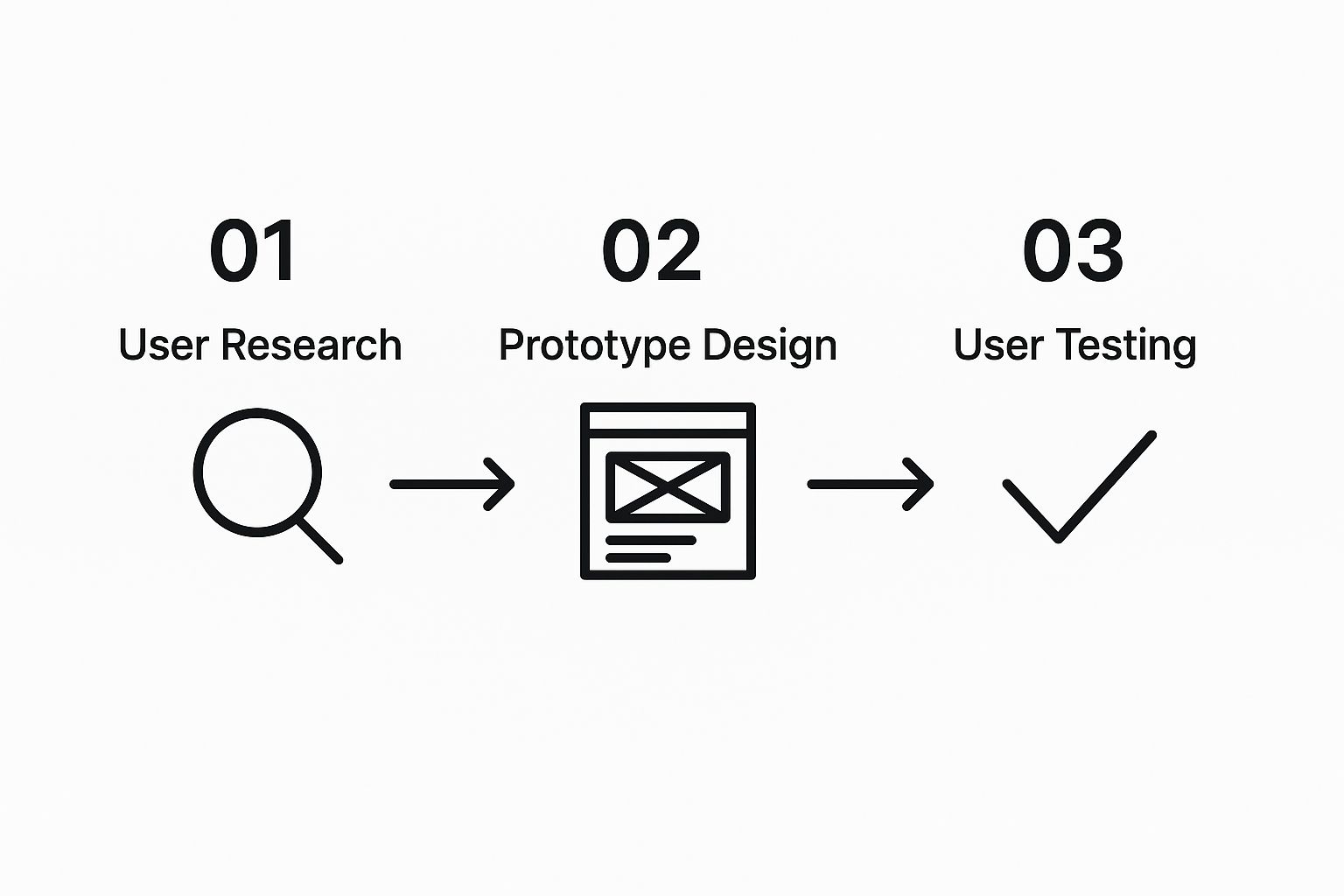
This infographic really nails the iterative design process for the metaverse: user research, prototype design, and user testing. Notice how these stages are all linked? Metaverse design, like any good design, is a continuous feedback loop driven by what users actually need.
From Unity to Unreal: Choosing Your Platform
For building intricate, interactive worlds, Unity and Unreal Engine are the industry titans. In my experience, Unity’s flexibility makes it a fantastic entry point, especially for beginners. Unity is like the Swiss Army knife of game engines – adaptable, versatile, and with a massive community to back you up. Unreal Engine is more like a high-powered sports car; it's known for its breathtaking visuals and advanced lighting effects, but it also requires a bit more expertise to handle.
This screenshot shows Unity's user-friendly interface. You can see why so many creators choose it when they're first getting started with metaverse development. It's intuitive and packed with resources.
Specialized Platforms for Specific Needs
If your focus is on social experiences, platforms like Horizon Worlds and Spatial might be a better match. I've known designers who ditched Unity mid-project in favor of Horizon Worlds purely for its seamless social integration. Horizon Worlds and Spatial offer different approaches to social interaction. The key is to find the platform that aligns with your project's goals. And don't forget the practicalities! Licensing costs and community support can have a huge impact on your project down the line.
Before we dive into emerging tools, let's compare some of the leading metaverse design platforms. This table highlights some key differences and similarities based on what I've seen in real-world projects:
Metaverse Design Platform Comparison Guide
| Platform | Ideal Project Type | Learning Investment | Pricing Reality | Standout Features |
|---|---|---|---|---|
| Unity | Games, simulations, interactive experiences | Moderate | Free & paid tiers | Versatile, large community, cross-platform support |
| Unreal Engine | High-fidelity visualizations, AAA games | High | Free & paid tiers | Stunning graphics, advanced features |
| Horizon Worlds | Social VR experiences, events | Low | Free | Easy social integration, accessible on Meta Quest |
| Spatial | Collaborative workspaces, virtual galleries | Low | Free & paid tiers | Web-based, avatar customization, easy sharing |
As you can see, each platform has its strengths and weaknesses. The best choice for you will depend on your specific project needs and technical skills.
Exploring Emerging Tools and Workflows
The world of metaverse design tools is constantly expanding. Lately, I’ve been exploring Blender, an open-source 3D creation suite. Blender is incredibly powerful, but there’s definitely a learning curve. Finding the right community and support is essential when working with a tool like Blender. If you're considering a design career in the metaverse, you can find open positions here. Finding the right tools is a journey of exploration and experimentation. The perfect toolkit isn't one-size-fits-all; it's the one that best supports your creative vision.
Architecting Virtual Spaces That Actually Work
This screenshot shows how flexible Figma is for interface design, something easily adaptable to metaverse projects. Check out the collaborative features and how you can visualize designs, mimicking the actual user experience. This is a game-changer when shifting your design thinking from 2D to 3D.
Building engaging metaverse experiences isn't about copying the real world; it's about creating spaces that genuinely function in the virtual one. Think about it: a physical museum guides you with hallways and carefully positioned exhibits. In the metaverse, users have total freedom. How do you direct them without being restrictive? That's where thoughtful architecture comes into play.
When you're putting together your metaverse design toolkit, think about adding some design feedback tools to gather user insights throughout the design process. These tools can give you incredibly helpful feedback on everything from the initial spatial layout to those more complicated interaction flows.
Planning for Flow and Interaction
The best virtual worlds are designed with movement in mind. Imagine designing a virtual park. You wouldn't just randomly place trees and benches. You'd consider how people will navigate the space. Where will they gather? What sightlines do you want to create? It’s like choreographing the entire experience. Strategically placed landmarks, for example, can act as guides, while open areas encourage social interaction.
Think about how you want users to feel as they move through the space. Do you want to create a sense of wonder and exploration, or a more focused and directed experience? This will inform your architectural choices.
Designing for Scale and Intimacy
One of the biggest challenges in metaverse design is balancing scale and intimacy. You might envision a massive virtual plaza for thousands of users, but you also want it to feel welcoming and personal. The solution? Create smaller, more intimate pockets within the larger environment.
It's similar to how a large city park might have different areas: a busy main section, quiet walking trails, and dedicated picnic spots. By designing these “micro-environments,” you give users choices, resulting in a richer, more engaging experience.
Ensuring Cross-Platform Compatibility
Cross-platform compatibility is essential. Your virtual world needs to feel consistent and intuitive whether users access it through a VR headset, a desktop, or their phone. This can be tricky, considering the different levels of immersion each platform offers.
VR users have full 360-degree immersion, while mobile users experience the same world on a smaller, flat screen. The trick is to design core interactions and spatial layouts that translate well across all these platforms. Focus on clear navigation, intuitive interfaces, and a consistent visual language, no matter the device. That way, everyone has a positive and engaging experience, regardless of how they access your world.
Crafting Interactions That Feel Like Second Nature
This screenshot from the Oculus website gives you a glimpse of their VR headset and controller designs. The smooth lines and ergonomic shapes speak volumes about their focus on making interaction comfortable and intuitive. Oculus is clearly aiming to blur the lines between the physical and virtual, making VR feel less clunky and more approachable for everyone.
Making the interface disappear—that's the real magic of metaverse design. You want to create an experience so natural that users forget they're interacting with technology and feel truly present. This is a lot tougher than it sounds, especially because so many of our 2D design instincts just don't translate to 3D.
Rethinking Interfaces for 3D Environments
Think about something as basic as a button. Essential in web or app design, but in the metaverse, a screen full of floating buttons is a usability disaster. Try picking the right one while wearing a VR headset, your hand hovering awkwardly in virtual space – it's a recipe for a major headache. Metaverse interactions should use your physical presence. Imagine reaching out and grabbing a virtual object, or opening a door with a gesture. That’s the kind of intuitive interaction we should be shooting for.
Then there are affordances. A doorknob tells you exactly what it's for. How do we design those cues for virtual objects? Maybe it's a subtle glow around interactive elements, or using spatial audio to draw the user’s attention. It's all about giving users those intuitive clues.
Designing for Different Comfort Levels
User behavior and expectations are driving design choices in the metaverse. As of early 2025, 50% of metaverse users in the US played free video games as their primary activity. That tells you a lot about the demand for engaging, game-like experiences in virtual spaces. Discover more insights. Plus, designing for the metaverse means understanding that everyone has a different comfort level with VR. Someone new to VR might be overwhelmed by complex gestures, while a veteran might expect more sophisticated controls.
For example, consider interaction distances. Make sure virtual objects are within easy reach for most users. No awkward stretching or overreaching allowed. Think about how users are experiencing the space. Standing? Sitting? Walking around their room? Your design needs to work in all these scenarios.
From Awkward to Intuitive: Best Practices
Here are a few tips I’ve found helpful:
- Prioritize natural interactions: Imagine how you'd interact with a similar object in the real world and try to mirror that in your virtual environment.
- Provide clear feedback: Users need to know when they've successfully interacted with something. A little haptic buzz or a visual cue makes a big difference.
- Test and iterate: Like any design process, testing is key. Get feedback from users early and often, and be prepared to tweak your designs based on real-world use.
Let's talk a bit about some common UX patterns and how they play out in the metaverse. I've put together this table to highlight what works, what doesn't, and why:
Metaverse UX Patterns: What Works vs What Backfires
Evidence-based comparison of effective interaction design versus problematic patterns in virtual environments
| Design Element | Effective Approach | Common Mistakes | User Impact | Quick Implementation |
|---|---|---|---|---|
| Navigation | Hand tracking/gesture-based movement, clearly marked pathways | Teleportation with unclear landing points, complex button-based systems | Nausea, disorientation, frustration | Implement simple hand tracking for basic movement |
| Object Interaction | Direct grabbing and manipulation, haptic feedback | Floating menus, requiring precise cursor control | Clunky feeling, difficulty interacting | Use basic physics engines for realistic object handling |
| Visual Cues | Subtle highlights, ambient lighting, clear affordances | Overly bright or flashing elements, cluttered visuals | Eye strain, cognitive overload | Reduce visual noise, emphasize interactive elements subtly |
| System Feedback | Haptic feedback, clear audio cues, visual confirmations | Lack of feedback, ambiguous responses | Uncertainty, reduced sense of control | Implement basic haptic feedback for interactions |
As you can see, designing effective interactions really boils down to making things feel natural and intuitive. Avoiding common pitfalls like clunky menus and unclear feedback can make a world of difference for the user.
By designing interactions that feel like second nature, you can create truly immersive and engaging metaverse experiences. The goal is to make the interface fade away, letting users fully inhabit and enjoy your virtual world. They’ll keep coming back for more.
Building Your First Virtual World Prototype
Ready to see your metaverse dream take shape? Let’s skip the endless strategizing and jump right into building a prototype. Forget perfection for now; the real progress happens when you embrace iteration: start small, test it out, and refine based on what you learn. It’s like sculpting – you begin with a basic form and gradually mold it into something amazing.
This screenshot from the Mozilla Developer Network demonstrates some 3D web development basics. It shows how shapes and lighting create depth and visual interest in a virtual environment, giving you a peek at the technical foundations of metaverse experiences. Even simple elements can be combined to craft immersive virtual worlds, proving that metaverse design often starts with mastering these core principles.
Rapid Prototyping in 3D
Metaverse prototyping isn't about meticulously crafting every detail. It’s about quickly building a working version of your main idea. Imagine building with LEGOs – you start with basic bricks and see what emerges. This lets you test key aspects like navigation, interaction, and spatial layout without getting lost in complicated code or fancy graphics. Unity is fantastic for this. Its intuitive interface and powerful scripting tools are perfect for quickly assembling interactive 3D environments. In my experience, beginning with simple geometric shapes and basic interaction mechanics allows you to quickly validate design ideas and get feedback.
Testing in the Virtual World
Traditional usability testing doesn't always work well in the metaverse. Watching someone click through a website is very different from watching them navigate a virtual space. You need to consider things like user comfort and motion sickness. I’ve found it helpful to start with short test sessions, gradually increasing the length as users get used to the VR environment. This provides valuable feedback without overwhelming anyone.
Also, think about how users are accessing your prototype. VR headsets offer full immersion, but desktop and mobile offer different levels of engagement. Remember that government project using ethnography in the metaverse? Their findings showed the importance of meeting people where they are – in the virtual spaces they already use. Likewise, testing your prototype on various devices reveals platform-specific issues and ensures a consistent experience for everyone.
Gathering Meaningful Feedback
Getting feedback in virtual environments requires a fresh perspective. Instead of forms or structured interviews, I’ve found observing user behavior within the prototype far more effective. Where do they struggle? Which features do they like? Do they seem disoriented? These observations offer much richer insight than traditional methods. You’re designing for presence and embodied interaction.
Consider how users actually interact with your virtual world. Are they using the intended navigation? Are they engaging with objects as you expected? By observing their actions and asking open-ended questions, you get meaningful feedback that helps refine your design and create a truly compelling experience. This approach validates your core concept early, saving you valuable development time and resources.
Launching Smart and Building Your Virtual Community
You've put your all into designing an incredible metaverse experience. Now, it’s time to share it with the world and cultivate a thriving community. This isn't a quick publicity stunt; it’s about creating something lasting. When you're thinking about your first virtual world prototype, consider the lean startup method of a Minimum Viable Product (MVP). Check out some great MVP Examples. This way, you can refine your design based on real user feedback.
Choosing the Right Platform for Your Vision
Launching effectively begins with choosing the right platform. Think about who you’re trying to reach and the kind of experience you're building. Is it a social hub, a gaming world, or something totally different? Each platform has its own quirks. VRChat, for instance, is perfect for social VR experiences.

This screenshot from the VRChat documentation shows just how deep the avatar customization goes. The detail and personalization emphasizes how VRChat prioritizes user expression and identity, a core ingredient for a strong online community. Finding a platform with the right features for your audience is key for a successful launch.
Building Your Initial Community
Once you’ve landed on a platform, concentrate on building your initial community. These early users will give you the most valuable feedback. Talk to them directly, listen to their ideas, and make them feel like they're part of something special. This isn’t just marketing; it’s about forming real connections.
Think of it like throwing a party. You wouldn't just open your doors and expect everyone to automatically have a blast. You would introduce people, start conversations, and make everyone feel welcome. The same goes for building a metaverse community. Nurture a sense of belonging, encourage positive interaction, and give people opportunities to connect.
Gathering Meaningful Analytics in Virtual Worlds
Standard web data doesn't always apply in the metaverse. Clicks and page views don't tell the whole story. You need to consider other information, like how long users spend in specific areas, their social interactions, and their feedback inside the virtual environment. This tells you what’s clicking with users, what isn’t, and how they’re really experiencing your world.
For instance, if users always hang out in a certain spot, that tells you something about the design of that space. Maybe it’s really inviting, or perhaps it's the center of a popular activity. Use this data to shape your design decisions and create even more compelling experiences.
Iterating Based on User Behavior
Be ready to adapt. The metaverse is always changing, and what people like changes, too. What’s hot today might be yesterday’s news tomorrow. Get feedback, study how people use your world, and adjust your design accordingly. Building a successful metaverse experience is an ongoing process of refinement.
Don’t be afraid to try new things. The metaverse is a space for innovation, so run with it. By staying flexible and responsive to your community, you can build a virtual world that lasts. That's how a launch turns into a legacy.
Your Next Moves As A Metaverse Creator
So, you're excited about designing for the metaverse. That's fantastic! But what's next? This isn’t a quick win; it's a long-term commitment. It's a journey of skill development, niche discovery, and networking with fellow creators. It’s about transforming that initial spark of inspiration into a lasting creative path.
Realistic Roadmaps for Different Backgrounds
Your background influences your starting point. Do you come from traditional design? Game development? Or are you brand new to the 3D world? Each background presents unique advantages and specific challenges in metaverse design. If you're a graphic designer, your visual skills are a huge plus. However, you might need to adapt those 2D principles to immersive 3D environments.
Are you from a game development background? You're likely already comfortable with 3D workflows and interactive systems. Your challenge might be adapting to the collaborative and social dynamics of metaverse design. Starting from scratch? No problem! Tons of free resources are available. Focus on the basics of 3D modeling, user interaction, and spatial design. Find the path that aligns with your current skills and future goals.
Timelines, Strategies, and Portfolio Building
Becoming a metaverse expert takes time. No shortcuts exist, but consistency is crucial. Set realistic goals. Maybe your first project is a simple interactive space. Then, gradually add complexity as you gain experience.
The metaverse changes fast. Today's trend might be tomorrow's old news. Staying current is essential. Follow industry blogs, connect with other creators, and keep experimenting. This helps you not just survive, but thrive in this dynamic field. Check out these Metaverse Stats. Your portfolio should showcase your technical abilities and your creative vision. What makes your work stand out? What stories are you telling?
Actionable Steps and Resources
Need project ideas to get started? Here are a few:
Virtual Gallery: Create a space to display digital art or NFTs. Prioritize an engaging and interactive viewing experience.
Interactive Training Simulation: Design a virtual environment for training or education. This could range from a medical simulation to a historical reenactment.
Social Hub: Develop a place where people can connect, chat, and play games. Explore various social interaction mechanics.
These are just starting points. The real magic comes from infusing your creativity and passion into these projects. And don't work in isolation! Connecting with other creators is invaluable. Join online communities, attend virtual events, and find mentors to guide you. The metaverse thrives on collaboration and shared experiences. Start building your metaverse career today! Explore Web3 jobs on Find Web3.